
ShiDan · The Menu

Your AI recipe book · iPhone, iPad and iPhone Duo

Found a dish?
Paste it. Saved.

Copy the link to a cooking video from Douyin, TikTok, Xiaohongshu or YouTube. ShiDan uses AI to identify the dish, its category and calories, and keeps it in a menu that's all yours. Can't decide what to eat? It plans the table in one tap.

Free to download · No account needed

Works with share links from

  • Douyin
  • TikTok
  • Xiaohongshu
  • YouTube

From scrolling to the table

Turn the dishes scattered across your apps into a menu you'll actually use every day.

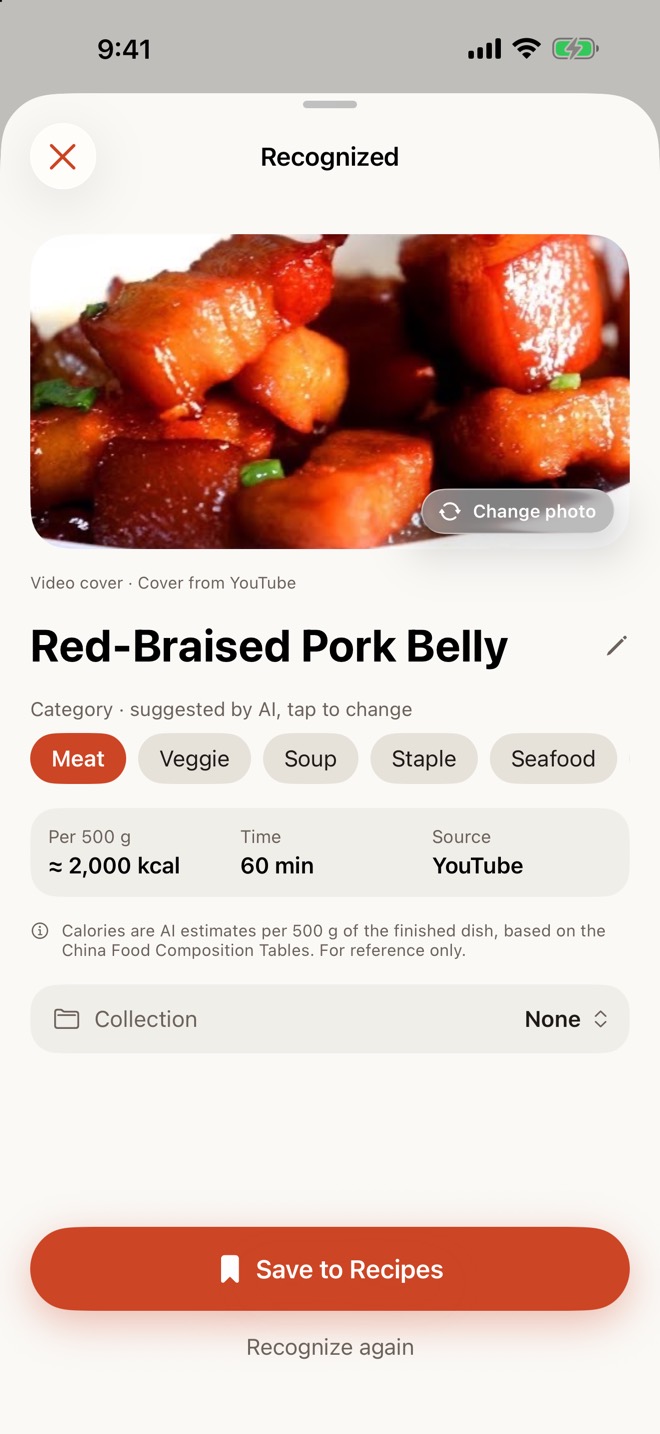
A recognized dish with category and calories

Paste to save

Paste a link. AI does the rest.

In your video app tap Share › Copy Link, come back to ShiDan, paste and tap Recognize.

  • Identifies the dish and its category: Meat, Veggie, Soup, Staple, Seafood, Snack or Cold Dish
  • Estimates calories and cooking time
  • Adds a photo: the video cover or a web image first, AI-generated only when none is found
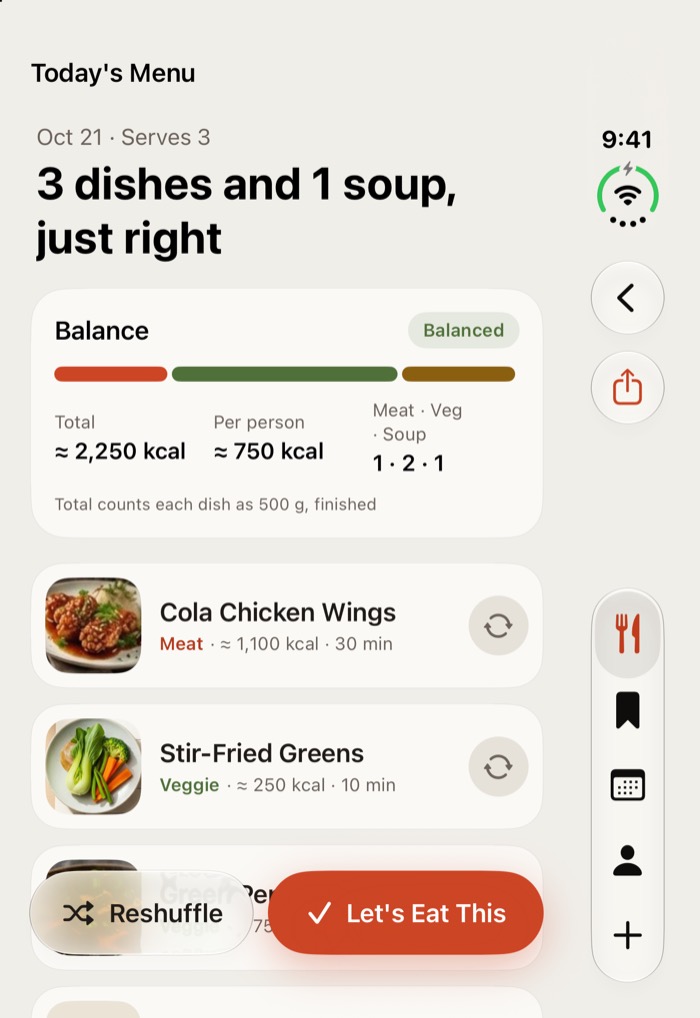
Today's menu with nutrition overview

What's for dinner?

Pick how many. Get a full table.

Scroll to choose how many people are eating, and ShiDan builds a balanced menu from your saved dishes, with meat, veggie and soup dishes at a glance.

  • Swap any dish with a tap
  • Reshuffle the whole table
  • Total and per-person calories, worked out for you
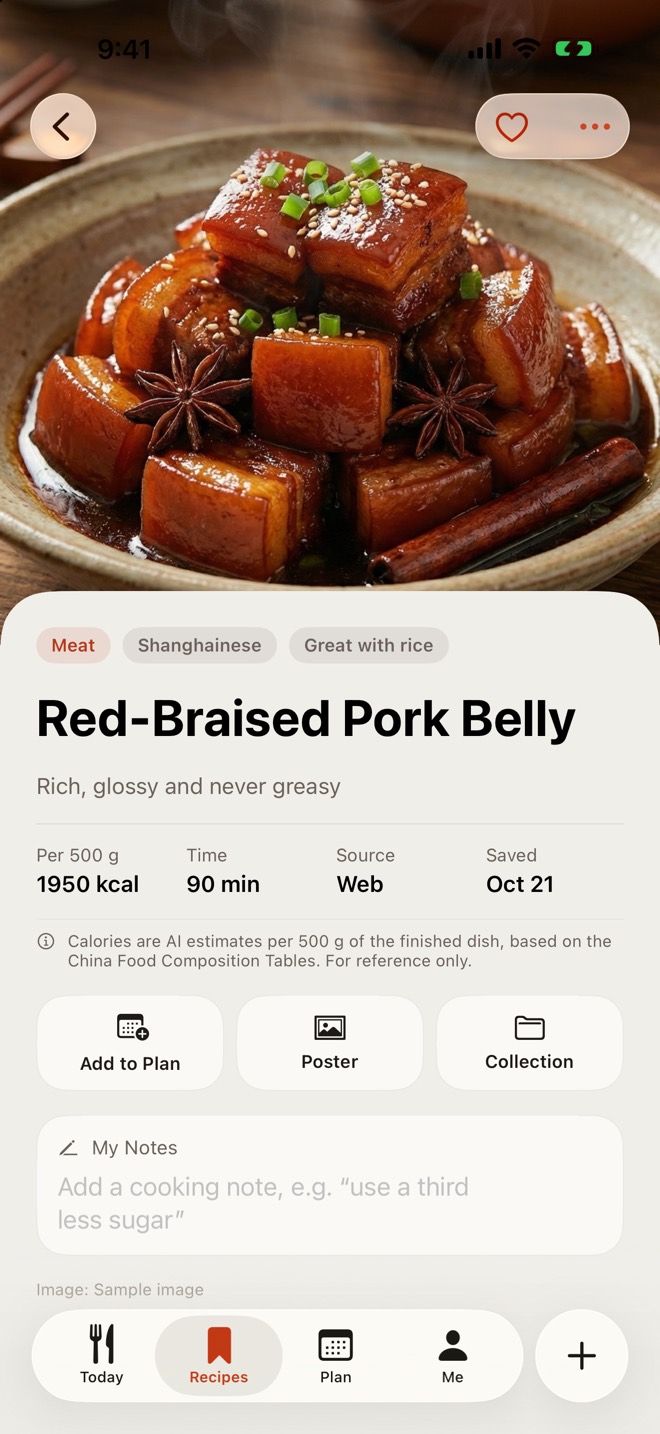
Dish details: calories, time and the original video

One calorie standard

Every dish, per 500 g finished.

Calories are always estimated per 500 g of finished dish, based on the China Food Composition Tables, so dishes compare directly. Forgot the steps? Jump back to the original video.

  • Keep your own notes
  • One tap back to the original video
  • Calories are AI estimates, for reference only
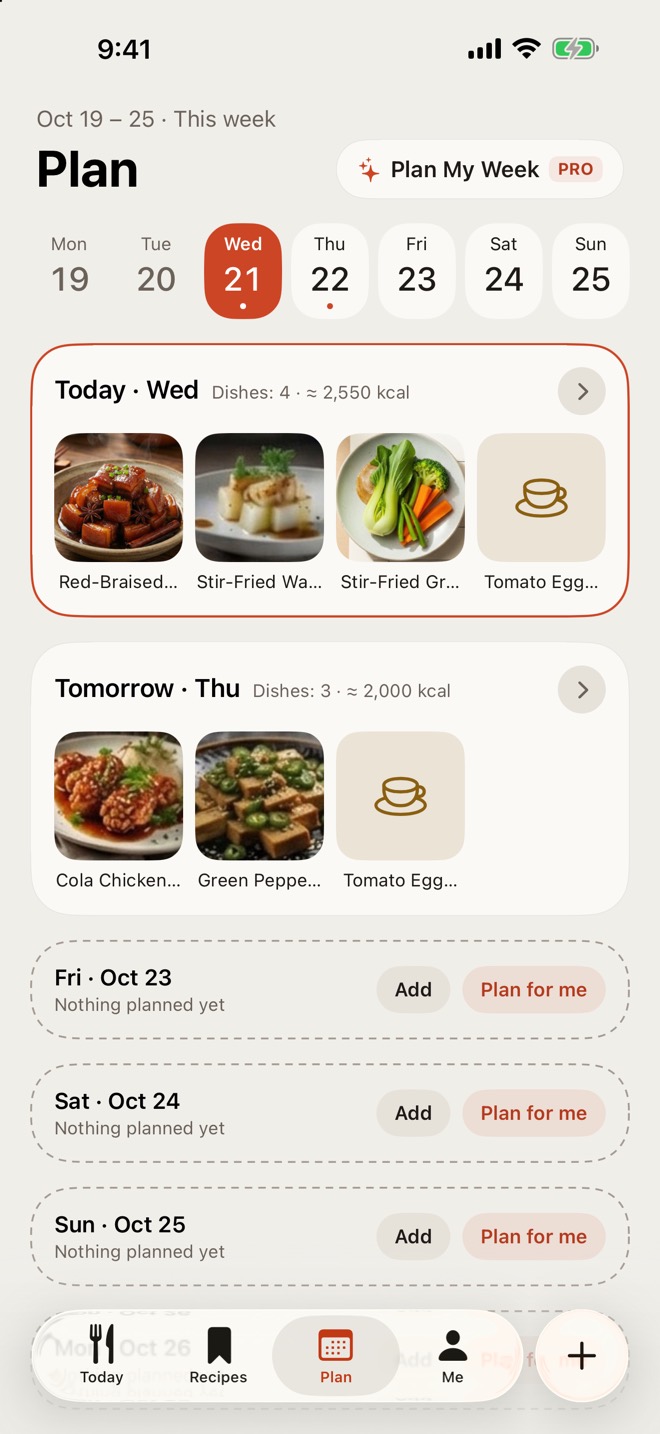
Weekly plan

Weekly plan

Plan the week before it starts.

Put dishes on every day of the week and shop without the last-minute scramble. Pro fills all 7 days in one tap, with no repeats.

  • Dishes and calories for each day
  • Pro: Plan My Week
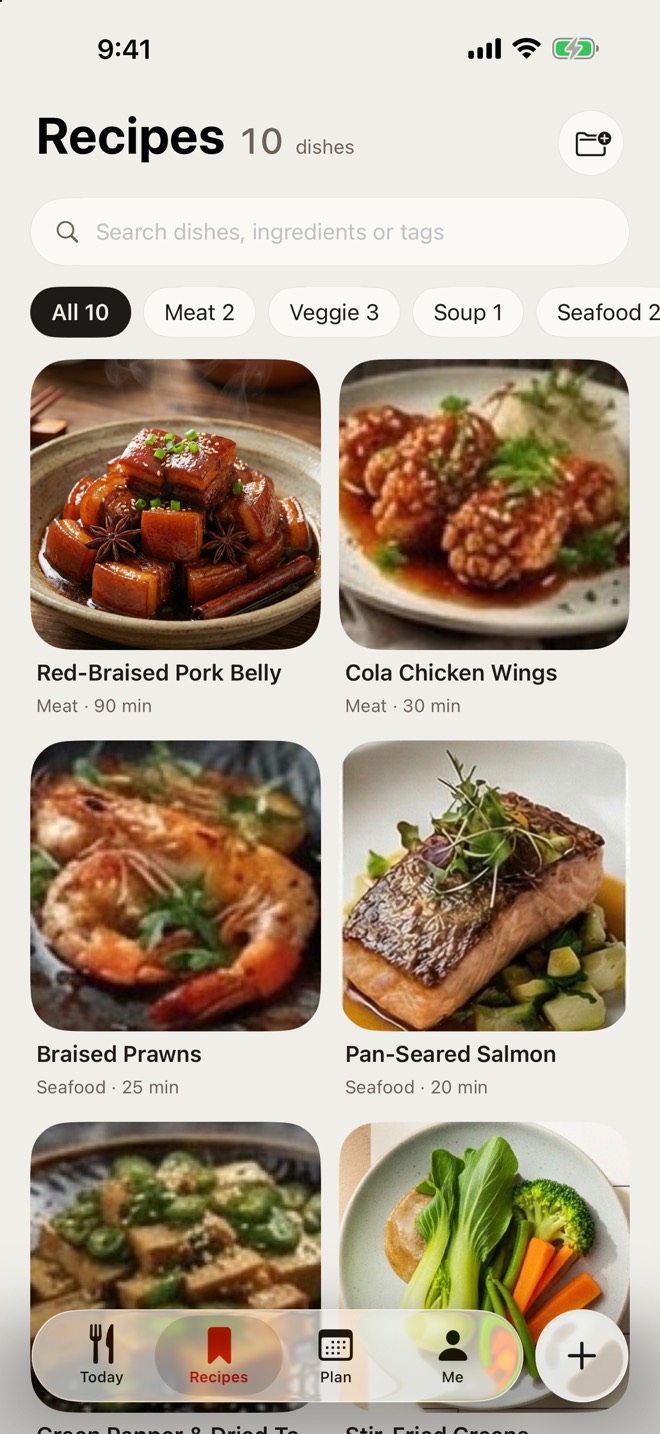
Your recipes, browsable by category

Your recipes

A recipe book that grows with you.

Automatic categories, search and collections keep hundreds of dishes tidy.

  • Filter by category
  • Organize into collections
  • Search names and notes
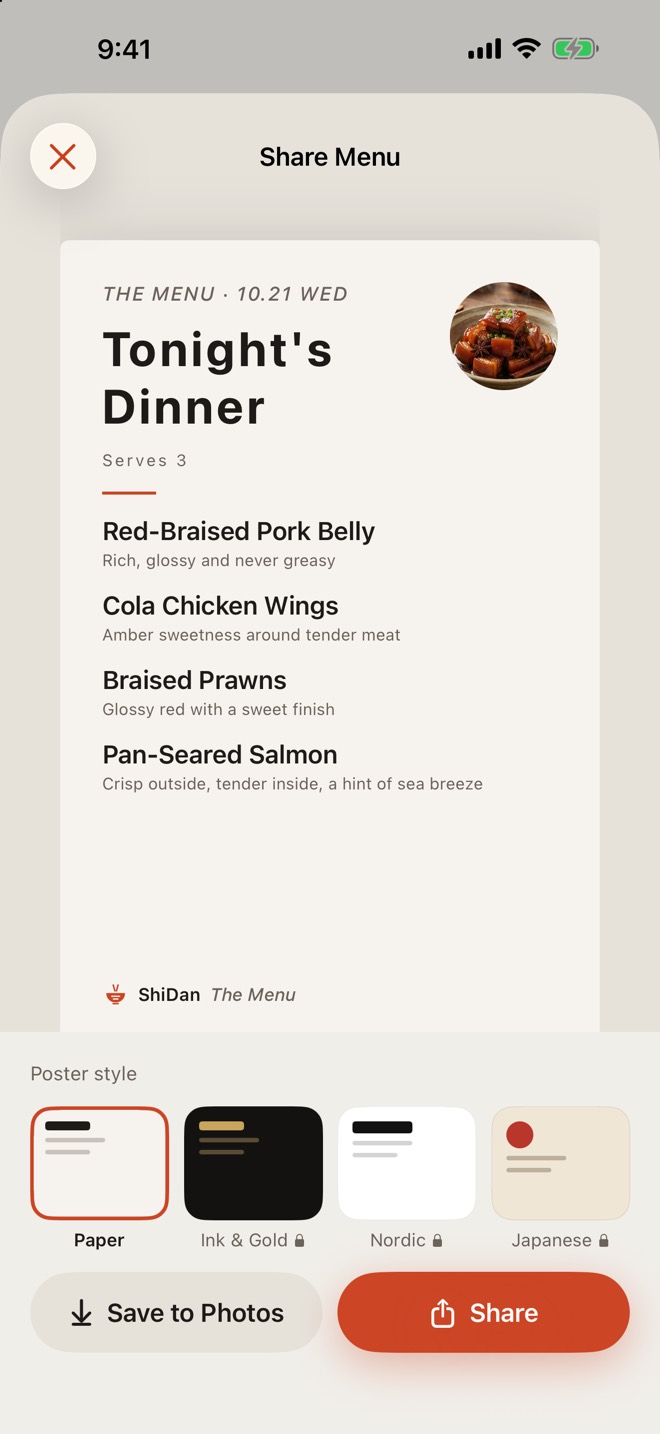
Sharing a menu poster

Menu posters

Turn today's menu into a poster.

Four styles: Paper, Ink & Gold, Nordic and Japanese. Save to Photos or share with family.

  • Four styles (Ink & Gold, Nordic and Japanese are Pro)
  • Save to Photos or share in a tap

iPhone, iPad and iPhone Duo

Laid out for every screen, down to the iPhone Duo cover display. Sign in with Apple and your recipes and plans sync across your devices through iCloud.

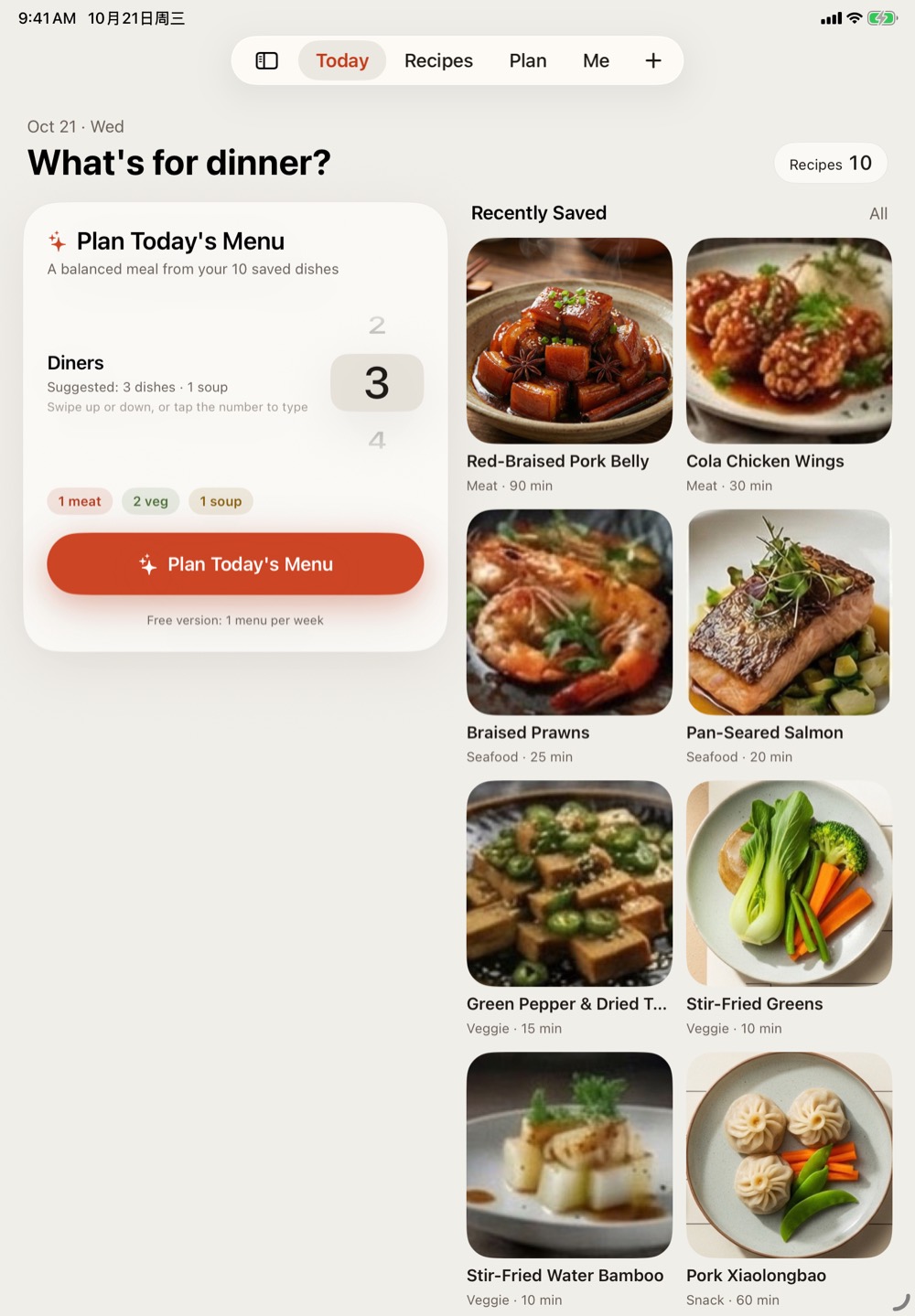
ShiDan on iPad
Today's menu on the iPhone Duo cover display
Your recipes, browsable by category
  • iCloud sync
  • Light & dark mode
  • Three app icons
  • 中文 · English · 日本語

Your recipes stay yours

ShiDan runs no servers of its own, builds no profiles and does no ad tracking. Recipes are stored on your device, and when you sign in they sync only to your own iCloud.

Read the privacy policy

ShiDan Pro

The free version covers everyday use. Upgrade to Pro to save more and plan with less effort.

Free

$0

  • Save up to 15 dishes
  • 1 daily menu per week
  • Paper poster style
  • iCloud sync

ShiDan Pro

  • Unlimited dishes
  • Unlimited daily menus
  • Plan My Week
  • All poster styles
Monthly$0.99per month
Lifetime$29.99one-time

Monthly and yearly plans are auto-renewable subscriptions; cancel anytime in Settings › Apple Account › Subscriptions. Lifetime is a one-time purchase. Prices on the App Store apply and vary by region. You don't need to sign in to ShiDan to buy. Terms of Use · EULA · Privacy Policy

Questions

Do I need to sign in?

No. Without signing in, your data is stored only on this device. Sign in with Apple to sync it across your devices through iCloud.

Which apps' links work?

Share links from Douyin, TikTok, Xiaohongshu (RED) and YouTube. You can also try links to other web pages.

How are calories calculated?

Always per 500 g of finished dish, estimated by AI from common values in the China Food Composition Tables (Standard Edition). They're for reference only and are not nutrition or medical advice. See About Calorie Estimates.

How do I cancel a subscription?

Open Settings › Apple Account › Subscriptions on your iPhone or iPad. Turn off auto-renew at least 24 hours before the current period ends to avoid the next charge.

More answers in Support

What's for dinner? Ask ShiDan.

Download on the App Store